
Web App vs Mobile App: Which Should You Build First as a Startup?
A practical framework for deciding whether to build a web app or a native mobile app first, based on your actual use case and constraints.
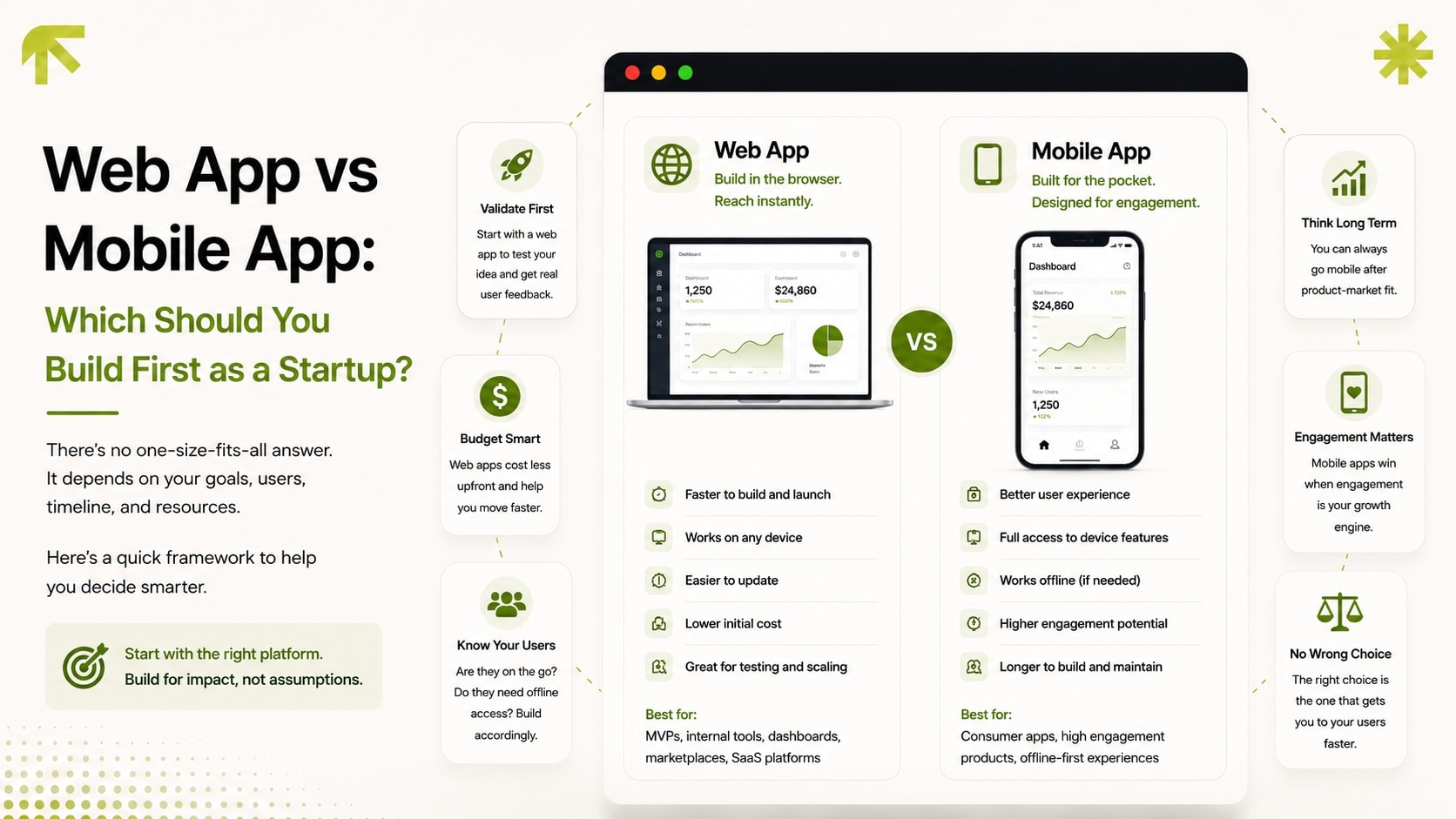
This decision gets made emotionally more often than it should. "We need an app" usually means a mobile app in the founder's head, regardless of whether that's actually the right first build. Here's a more useful way to decide.
Start with how the product actually gets used
If the core use case depends on device hardware, camera, GPS running in the background, push notifications as the primary engagement loop, offline-first use, a native mobile app is doing real work a web app can't easily replicate. If the core use case is "look at information, fill in a form, manage some data," a web app does the same job with a faster build and easier updates.
The case for building the web app first
Faster to build and iterate. No app store review process standing between a fix and your users seeing it. Ship a change, it's live.
Works everywhere immediately, without asking anyone to download anything, which matters enormously for early-stage conversion. The friction of an app store download kills a meaningful share of interested users before they ever try the product.
Validates the actual product before committing to two separate native codebases (iOS and Android) for a workflow that hasn't been proven yet.
The case for building mobile-first
The product genuinely depends on background location, camera-first workflows, or offline functionality as core to the experience, not a nice-to-have.
Push notifications are the primary retention mechanism, and web push isn't a strong enough substitute for the use case.
Your actual target users primarily discover and use products through app stores, not the web, for the specific category you're in.
The middle path: a responsive web app that behaves like an app
A well-built responsive web application, like the leads and CMS dashboard we built for Nova Real Estate, properly optimized for mobile, fast, and installable as a home-screen web app, covers a large share of what founders assume they need a native app for, without the build and maintenance cost of two separate native codebases. This is usually the right starting point unless one of the mobile-first conditions above is clearly true for your specific product.
Getting this decision right at the start avoids the common trap of building a native app for validation, discovering the core workflow needs to change three times in the first two months, and paying that iteration cost twice, once per platform. If you're at the scoping stage for this decision, it pairs directly with the MVP scoping questions we ask before any project starts. This is usually one of the first five things worth nailing down.
Frequently Asked Questions
Can a web app really replace a native app for most use cases?
What is a PWA and is it a real substitute for a native app?
If we start with a web app, how hard is it to build a native app later?
What if we eventually need both a web app and a mobile app?
Does a PWA show up in the App Store or Google Play?
Ready to Build Something
That Gets You Clients?
Free 30-minute consultation. We'll map out your project and agree on a price together. No commitment, no pressure.
Book My Free Call